How To Convert JPG, PNG, GIF Images to PDF, SVG, EPS Vectors

1. Upload
Upload a bitmap image and we automatically figure out what settings to use and trace the image for you.
2. Review & Edit
You can review the vector result, tweak the settings and even edit the result, all within the same tool.

3. Download
The result is delivered in SVG, EPS, and PDF formats. The desktop edition also produces AI and DXF.
Simply the Best Auto-Tracer in the World

Fully automatic vectorization
Vector Magic analyzes your image and automatically detects appropriate settings to vectorize it with, and then goes ahead and traces out the underlying shapes in full color. This makes getting started a real breeze: just upload your image and presto, a result to review!
Naturally you can revise the auto-detected settings. Vector Magic offers you meaningful settings that are comprehensible to humans, not just to a machine, and they're easy to change.
Need to convert JPG to SVG? Look to Vector Magic for the best results in the industry.
Sub-pixel precision
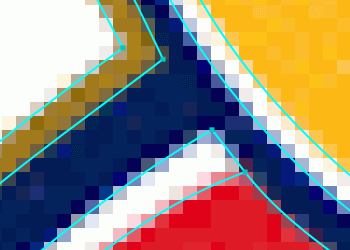
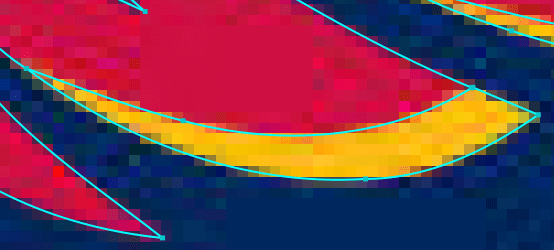
Vector Magic carefully traces out every bit of information available in your image, slicing each edge pixel at precisely the right spot to re-create the intention of your original.
This allows us to tease out small details that are lost by other tools, pushing the envelope of how small you can go before a nuance of your input is lost.
Clients often give their logos in PNG format, but you may need to convert to SVG to print them. They can take hours to re-draw. Instead, use Vector Magic and you'll often get great results in just seconds.

The right number of nodes
If you've used other auto-tracing tools before, you may have noticed just what an awful number of nodes they use to create your result, and just how weirdly they place them.
Vector Magic is a breath of fresh air, intelligently selecting the right number of nodes to use, and placing them at excellent locations.
This makes working with the results much easier and reduces file sizes.
Vector Magic is bar none the world's best PNG to SVG converter. If you need to convert PNG to SVG, look no further.
Edit the result
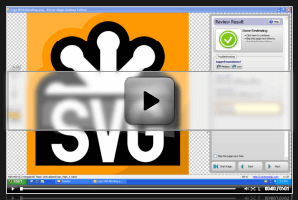
Not only does Vector Magic offer you easy to use settings, we also let you edit the result, both online and in the desktop app.
You can eliminate unwanted shapes, connect shapes that have been separated, fix broken lines, and separate shapes that should not be touching, all in the form of an easy-to-use pixel-style editor.
This remarkable feature can be a real life-saver when there are a few small blemishes in your result.
Watch a video showing how to edit the result »
For some reason, nobody seems to keep originals around in EPS format. Whenever you need to convert to EPS, always try Vector Magic first.
Tracing

Embedding
Tracing not Embedding
Vector Magic always traces your bitmap, carefully teasing out the underlying shapes in it, and provides you with a real vector image with all of its benefits.
In contrast, there are numerous services available online that claim to convert bitmaps to vectors, but that in reality just embed the pixels without actually tracing them into vector shapes.
This leaves you with a file that will still be blurry when scaled, and will not be usable for cutting, sewing, laser engraving, or other purposes that require a real vector.
Save yourself the frustration and go with Vector Magic for real vectorization!
Graphic designers often need to convert JPG to SVG. Use Vector Magic to get the job done fast.
Bitmap images vs Vector images
What's the difference between JPG, PNG, GIF images and SVG, EPS, PDF, AI, DXF files?
Vector images consist of shapes like circles, rectangles, lines and curves, while bitmap images, also known as raster images, consist of a grid of pixels. Vectorization or tracing is the process of taking a bitmap image and re-drawing it as a vector image.
The shapes in vector images allow computers to do things that cannot be done with bitmap images, like scale them to any size without loss of quality and using them to e.g. cut, sew, paint, and laser engrave.
Bitmap
Grid
Pixels
Vector
Underlying shapes
Vector image
Learn more about vector images »
Bitmap image file formats
There is a large number of different bitmap formats. Some of the most common are: JPEG, PNG, GIF, BMP, and TIFF. Broadly speaking, they fall into two categories:
- Lossy formats
-
These have smaller file sizes but do not store a perfect copy of the image. They are best suited to photographs and other images where perfect accuracy is not important. They are also commonly used on the web to save bandwidth.
- JPEG/JPG
-
One of the most widely-used image formats. It has excellent compression characteristics and has the nice feature that the user may specify what level of compression they desire, trading off fidelity for file size.
We do not recommend using JPEG files for rasterized vector art, as the compression artifacts substantially degrade the quality of the image near edges.
- Lossless formats
-
These store an exact pixel-by-pixel representation of the image, but require more space. They are more suitable for things like logos.
- PNG
-
The best of the lossless image formats is called PNG (Portable Network Graphics). This format is widely supported by web browsers and image viewers/editors.
Vector Magic recommends using the PNG format when storing logos as bitmaps.
- BMP
-
There are actually several BMP formats (BitMaP). Windows and Macintosh have their own formats, both of which are called BMP. Most modern image editing tools are able to read both.
In any case, all of the variants of BMP should be avoided when possible, as they use little to no compression and consequently have unnecessarily large file sizes.
Vector image file formats
- EPS
-
Adobe's EPS format (Encapsulated PostScript) is perhaps the most common vector image format. It is the standard interchange format in the print industry. It is widely supported as an export format, but due to the complexity of the full format specification, not all programs that claim to support EPS are able to import all variants of it. Adobe Illustrator and recent versions of CorelDRAW have very good support for reading and writing EPS. Ghostview can read it very well but does not have any editing capabilities. Inkscape can only export it.
- SVG
-
The W3C standard vector image format is called SVG (Scalable Vector Graphics). Inkscape and recent versions of Adobe Illustrator and CorelDRAW have good support for reading and writing SVG. Further information on the SVG format may be found on the official SVG website.
-
Adobe's PDF format (Portable Document Format) is very widely used as a general purpose platform-independent document format. And while it is not exclusively used as such, it is also a very good vector image format. Adobe gives away the Acrobat PDF reader, but sells the tools required to create PDF files (third party tools that perform the same task are also for sale). Those tools work with any program that is able to print. Support for reading and editing PDF files is much more limited.
- AI
-
The native format of Adobe Illustrator is the AI format (Adobe Illustrator Artwork), a modified version of the older EPS format. The AI format is fairly widely supported, but is less ubiquitous than the EPS format, and most programs that read AI can also read EPS.
- DXF
-
Drawing eXchange Format. A CAD format from Autodesk, used by CAD tools from many different vendors. Some programs have difficulty reading DXF files with splines (curves), so the Desktop Edition supports line+spline as well as line only output modes.
There are numerous other vector formats: CDR is the CorelDRAW native format and XAR is the Xara Xtreme native format, to name a couple.
Vector Magic can convert JPG, PNG, BMP, GIF images to any of EPS, SVG, PDF, AI, or DXF
AI and DXF require the Desktop Edition
Become a vectorization expert
How To Use Vector Magic
Learn about Vector Magic's conversion options and how they apply to various image types.
Vectorize Artwork / Logos
An end-to-end example of converting a bitmap artwork to vector. Goes into several of the pitfalls along the way and how to handle them.
Trace Photos
Photos can be vectorized to great artistic effect, and this tutorial shows you some examples. You can get a stylized piece of art that can be used e.g. as a background or component in a larger composition. You can also extract individual shapes from specific real-world objects, which can be a great addition to your asset repository.
Tips and Tricks
Learn how to really make the most out of challenging images by scaling them appropriately and using the custom palette option to limit the number of colors Vector Magic uses.
Vectorize Scans
An in-depth description of how to best scan and vectorize your printed artwork.
Create a New Font
Learn how to use a scan of an old typography page to create a TrueType font your computer can use.
Help is only a click away
Officially supported input file formats are: JPG, PNG, BMP, and GIF bitmap images using the sRGB color space. That said, we do our best to accept any image format your browser can read. CMYK input gets converted to sRGB.
The maximum allowed image size is 1 megapixel, regardless of aspect ratio. Images larger than the size limit will be shrunk to that size. Note that this is pixels, not bytes, and there is currently no image byte size limitation.
Officially supported browsers are the latest versions of Chrome, Firefox, and Microsoft Edge running on modern desktops and laptops, though other modern browsers may also work.


