Examples
Here are a few examples of the Vector Magic output for various types of input. The originals have been uploaded to and processed by this website, using only the tools made available in the vectorization wizard.
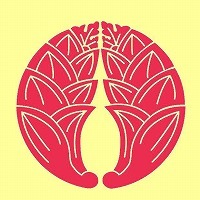
Leaves

Result

Fill only
Best for printing, cutting, engraving and embroidery, and opens in the most programs.
Stroke + Fill
Best for on-screen display: no thin white lines in viewers that draw them between shapes.
Albert Memorial

Result

Fill only
Best for printing, cutting, engraving and embroidery, and opens in the most programs.
Stroke + Fill
Best for on-screen display: no thin white lines in viewers that draw them between shapes.
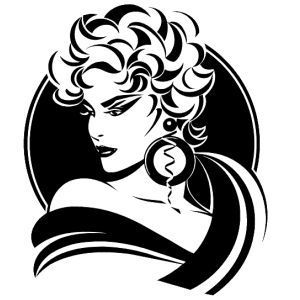
Lady

Result

Fill only
Best for printing, cutting, engraving and embroidery, and opens in the most programs.
Stroke + Fill
Best for on-screen display: no thin white lines in viewers that draw them between shapes.
Irs

Result

Fill only
Best for printing, cutting, engraving and embroidery, and opens in the most programs.
Stroke + Fill
Best for on-screen display: no thin white lines in viewers that draw them between shapes.
Cogs

Result

Fill only
Best for printing, cutting, engraving and embroidery, and opens in the most programs.
Stroke + Fill
Best for on-screen display: no thin white lines in viewers that draw them between shapes.
SvgLogo

Result

Fill only
Best for printing, cutting, engraving and embroidery, and opens in the most programs.
Stroke + Fill
Best for on-screen display: no thin white lines in viewers that draw them between shapes.
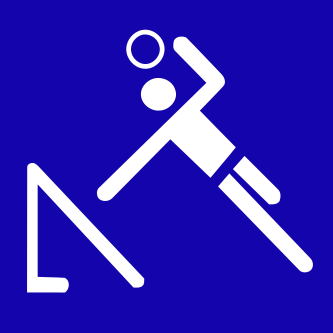
Tchoukball

Result

Fill only
Best for printing, cutting, engraving and embroidery, and opens in the most programs.
Stroke + Fill
Best for on-screen display: no thin white lines in viewers that draw them between shapes.
Rune

Result

Fill only
Best for printing, cutting, engraving and embroidery, and opens in the most programs.
Stroke + Fill
Best for on-screen display: no thin white lines in viewers that draw them between shapes.
Wikimedia Commons

Result

Fill only
Best for printing, cutting, engraving and embroidery, and opens in the most programs.
Stroke + Fill
Best for on-screen display: no thin white lines in viewers that draw them between shapes.